DUELIST: PvP Controls, Keybinds & Sensitivity
Tune PC, mobile, and console inputs so dodge and aim feel intentional.
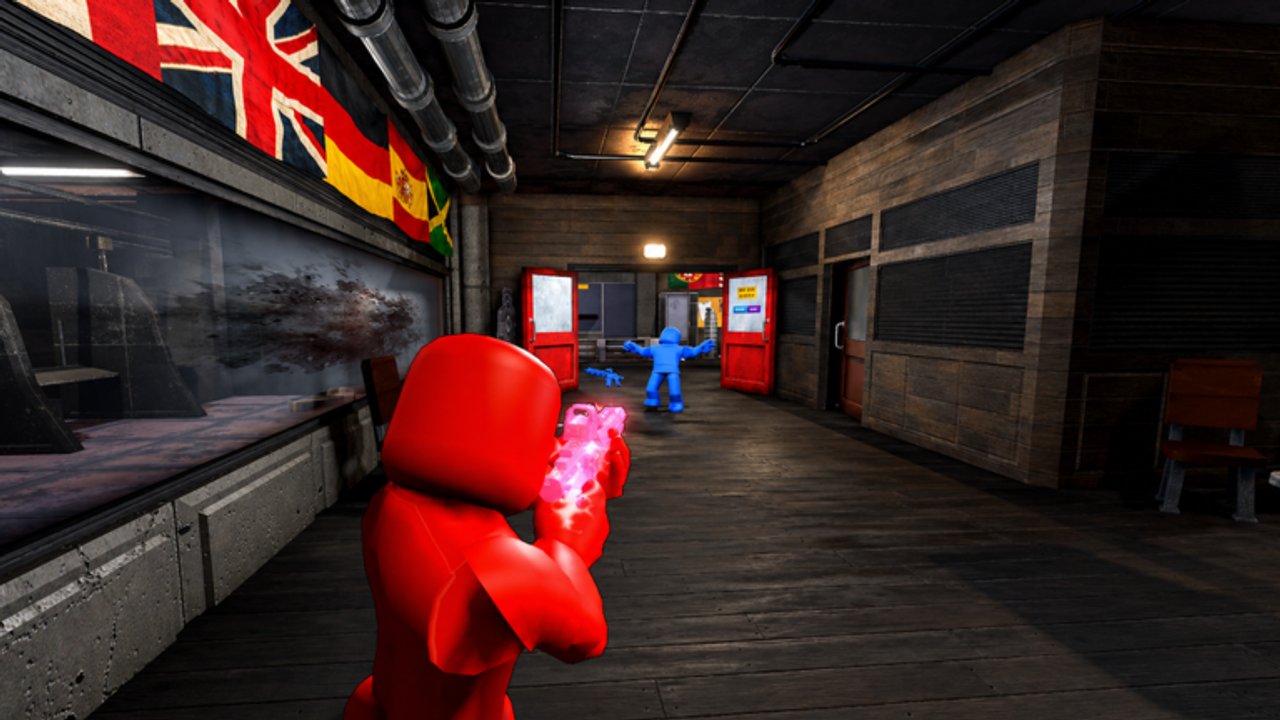
Clean inputs win more fights than flashy skins in DUELIST: PvP. The game is a third-person Roblox arena shooter with customizable keybinds and sensitivity, and dodge sits at the center of defense. This guide explains how to set up PC, mobile, and console so your hands stop fighting the settings. Pair it with Getting Started on day one and How to Win 1v1 once the binds feel natural.
Why settings matter in a fair arena shooter
Monetization is cosmetics-only—skins do not change stats—so your competitive edge comes from tracking, peeks, and dodge timing. If look speed is too high, you overflick and miss easy mid-range Assault Rifle shots. If it is too low, SMG close-range tracking feels sticky and you cannot answer wide swings. Custom keybinds exist so every player can put shoot, aim, reload, and dodge on comfortable keys or buttons.
Open Settings before your second live match. Small changes early prevent weeks of bad muscle memory.
Shared control pillars (all platforms)
Regardless of device, optimize these four pillars:
- Look / aim feel — You should track a strafing target without constant micro-corrections that feel like steering a boat.
- Dodge accessibility — Dodge must be reachable without dropping aim. If dodge is awkward, you will panic-jump instead of timing the beat.
- Reload discipline — Bind reload where you will not hit it by accident mid-spray, but can still press it under stress.
- Consistent ADS or hip habit — Pick a default engagement style for your main weapon and keep binds supporting that habit.
When something feels wrong mid-session, change one slider at a time, then play three matches before changing again. Stacking five edits at once makes it impossible to know what helped.
PC controls & keybind tips
PC usually offers the highest precision once mouse sensitivity and key layout settle.
Suggested setup process
- Reset to defaults once so you know the stock layout.
- Move dodge to a key you can hit while still strafing (many players prefer a thumb-adjacent or easy side key rather than a stretch).
- Confirm shoot, ADS (if used), reload, and interact/menu are not fighting each other.
- Set mouse sensitivity so a large swipe turns roughly the amount you expect for a 180 without lifting three times.
- Play a 1v1 warm-up focusing only on tracking; adjust ±5–10% if you constantly overshoot or undershoot.
PC sensitivity heuristics
- Too high: Crosshair whips past targets; AR mid sprays look noisy.
- Too low: You lose SMG chases and cannot snap to unexpected peeks.
- Just right: Micro-corrections are small, and dodge-strafes still let you keep the reticle near center mass.
If you switch between Sniper sightlines and SMG rushes often, favor a sensitivity that can do both adequately rather than an extreme sniper-only value. Loadout roles are covered on Loadouts and Weapons.
PC quality-of-life
- Disable conflicting OS mouse acceleration if you notice inconsistent flicks.
- Keep frame pacing stable; input feel degrades when the client stutters.
- Rebind rarely used menu keys away from combat cluster to avoid misclicks.
Mobile controls & sensitivity tips
Mobile DUELIST: PvP is fully viable because the ruleset is fair, but HUD layout and look sensitivity need patience.
Mobile setup process
- Enter settings and review touch layout options available in the experience.
- Place fire and dodge where your thumbs naturally rest—dodge buried in a corner gets ignored under pressure.
- Start with lower look sensitivity than you think you need; raise slowly after you can track AR mid-range targets.
- Practice splitting attention: left stick / movement thumb for strafe, right side for aim and dodge.
- Warm up in FFA or 1v1 before jumping into sweaty 3v3 if your thumbs are cold.
Mobile-specific advice
- High sensitivity feels “fast” but destroys consistency on small screens.
- If your device supports higher frame rates, prefer smooth feel over max decorative settings.
- Take short breaks; thumb fatigue creates phantom misses that look like “bad guns.”
- Remember skins do not help accuracy—comfort does.
When mobile fights feel unfair, check positioning and dodge timing before blaming touch controls. Many losses are still angle mistakes covered in Combat Positioning.
Console controls & sensitivity tips
Controller players should treat sensitivity and deadzones as a paired system.
Console setup process
- Set a moderate look sensitivity and a deadzone that removes stick drift without adding laggy response.
- Map dodge to a button you can press while maintaining aim stick control—awkward combinations cause dropped tracking.
- Confirm reload and weapon switches are not on the same stressful cluster if you misclick often.
- Warm up with Assault Rifle mid-range sprays; controllers shine when recoil and tracking stay readable.
- After you stabilize AR, practice SMG close tracking with the same sens before changing anything.
Console heuristics
- Raise sensitivity only until you can still micro-adjust on mid targets.
- If you overcorrect constantly, lower sens slightly or review deadzone.
- Use 1v1 to isolate aim; use Team Modes later for callout practice, not for first sens tests.
Dodge input discipline
Because dodge is core, rehearse the finger/thumb path until it is automatic:
- See threat → decide → dodge on the dangerous beat → re-center aim.
- Never bind dodge where a panic brush triggers it while looting menus or adjusting camera.
- In 1v1 drills from How to Win 1v1, force yourself to land at least one intentional dodge bait per round.
Sensitivity troubleshooting checklist
| Symptom | Likely cause | Try this |
|---|---|---|
| Constant overflicks | Sens too high | Lower 5–10%, retest AR mid |
| Cannot turn to SMG rushers | Sens too low | Raise slightly; keep micro-aim intact |
| Dodge never happens | Bad bind placement | Move dodge to easier key/button |
| Accidental reloads | Bind conflict | Separate reload from spray cluster |
| “Gun feels broken” | Input discomfort | Retune before swapping loadouts |
If you still feel lost after tuning, return to Getting Started and run the first-session checklist with your new binds.
Practice routine after changing settings
- Two minutes menu confirmation (binds + sens screenshot in your notes if helpful).
- One 1v1 set focused only on tracking.
- One set focused only on dodge timing.
- One normal set with your preferred loadout from Loadouts.
- Stop editing settings; play for XP toward Level 50 codes via normal matches and How to Get Credits.
Platform myth-busting
- “PC is required to compete.” False. Fair cosmetics-only design means skilled mobile and console players win gunfights.
- “Higher sensitivity equals better movement.” False. Uncontrolled look speed wastes bullets.
- “Default binds are fine forever.” Maybe—but the game gives customization because one layout does not fit every hand.
- “I should copy a pro sens exactly.” Use theirs as a starting point, then calibrate to your device and DPI/stick feel.
Related pages
- Guides Hub — full tutorial index
- How to Win 1v1 — apply tuned inputs in duels
- Team Modes — communicate after your hands are stable
- Codes — redeem at Level 50 once the grind is underway
Dial in controls once, then invest hours into peeks and dodge reads. In DUELIST: PvP, comfortable inputs are the quiet advantage that shows up in every mode.
Frequently Asked Questions
Quick answers for DUELIST: PvP players.
Can I customize keybinds in DUELIST: PvP?
Yes. Open Settings and remap combat actions so shoot, dodge, and reload fit your hands on PC, mobile, or console.
What sensitivity should I use?
Start moderate. Lower if you overflick Assault Rifle sprays; raise slightly if you cannot turn to close-range SMG threats. Change one value at a time.
Where should dodge be bound?
Put dodge on an easy, conflict-free key or button you can press without dropping aim. If dodge is awkward, you will panic instead of timing it.
Is mobile at a huge disadvantage?
No. The game is cosmetics-only and skill-focused. Tune lower look sensitivity, place fire/dodge comfortably, and practice peeks like any other platform.
Should I change sensitivity every match?
Avoid that. Make a small adjustment, play several matches, then reassess. Constant tinkering prevents muscle memory.